I Built a RAG System That Actually Understands Cisco Docs. Here's What I Learned.
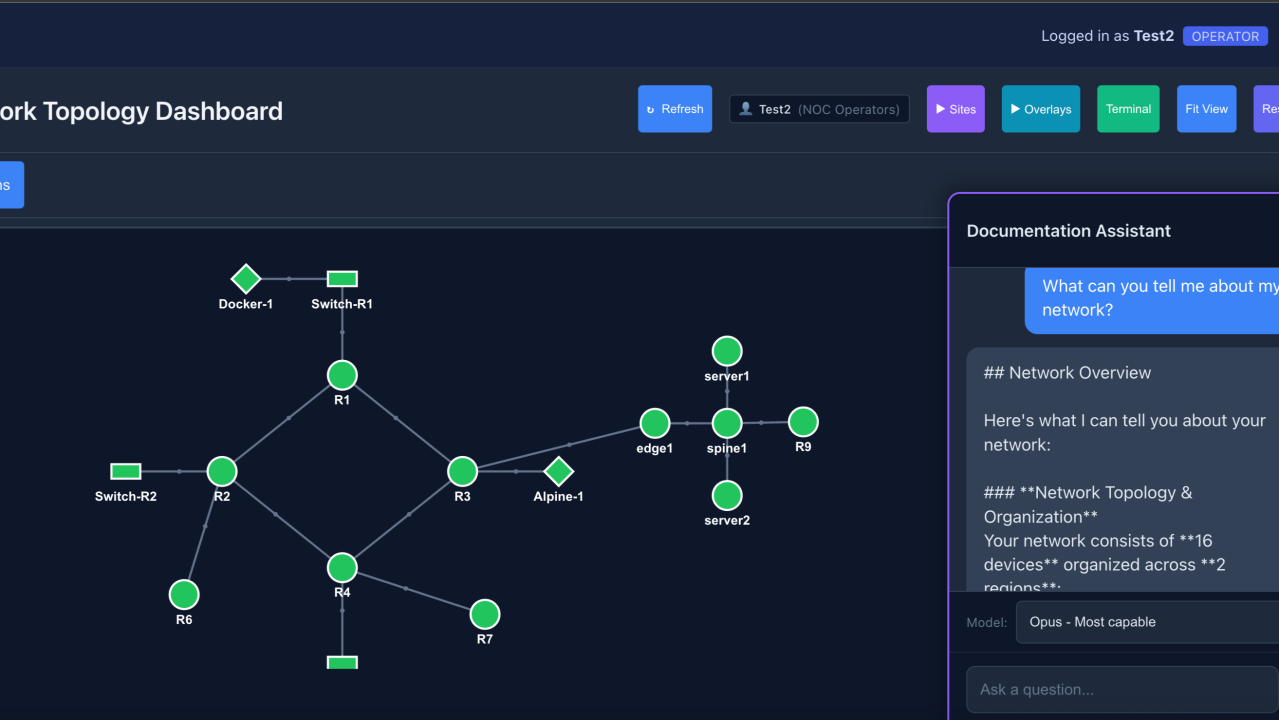
I built a RAG system that lets an AI answer network automation questions using my actual documentation—and query live devices when the answer isn't in a PDF. The result: fewer hallucinations, accurate config syntax, and real-time troubleshooting that knows my topology.
Here's what I learned about chunking, embeddings, and making retrieval actually work for technical content.
The Problem: AI Assistants Hallucinate on Network Config
I love using AI for network automation. But there's a problem.
Ask Claude about a specific IOS-XE command syntax and it might make something up. Ask it to troubleshoot your DMVPN and it's working from training data, not your actual network.
RAG fixes this: instead of relying on training data, give the model your actual documentation at query time. Vendor PDFs, runbooks, topology diagrams—all searchable, all cited.
But networking docs aren't blog posts. They're dense, full of acronyms, and have code blocks that break naive chunking. Getting this right took iteration.
Chunking at Semantic Boundaries (Not Arbitrary Character Counts)
Most RAG tutorials say "split text into 500-character chunks with overlap." That's fine for prose. It's terrible for network documentation.
The problem: A Cisco configuration guide might have a config example spanning 40 lines. Naive chunking splits that example across three fragments. When you search for "DMVPN tunnel configuration," you get fragment 2 of 3—useless without context.
My approach: Sentence-boundary aware chunking. Before cutting at the character limit, look backward for natural break points—sentence endings, paragraph breaks, section headers.
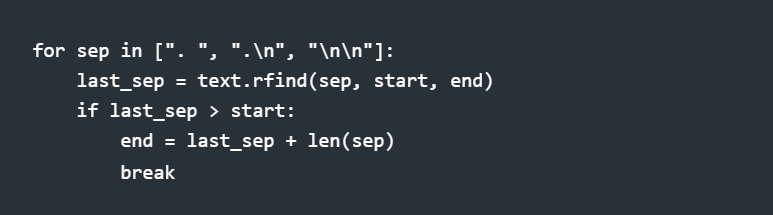
The chunk might land at 480 or 520 characters instead of exactly 500, but it's semantically complete.
tl;dr: Don't cut mid-sentence. Don't split config blocks. Find natural boundaries.
Taming Acronyms in Embeddings
Network engineers speak in acronyms. OSPF. BGP. NHRP. EIGRP.
The problem: When you embed "OSPF neighbor stuck in EXSTART" but your documentation says "Open Shortest Path First neighbor adjacency troubleshooting," the semantic similarity is lower than it should be.
My solution: Domain-specific preprocessing. Before generating embeddings, expand known networking acronyms:
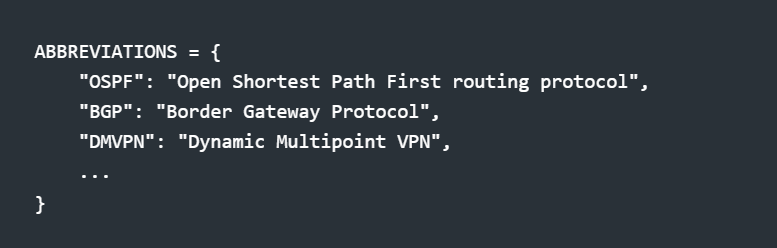
This happens at both ingest time (chunking docs) and query time (searching). The embedding model sees expanded forms; users still type acronyms naturally.
tl;dr: Your embedding model doesn't know that NHRP and "Next Hop Resolution Protocol" are the same thing. Tell it.
Beyond Static Docs: Live Network Tools
Here's where it gets interesting. RAG gives you documentation. But sometimes the answer isn't in a PDF—it's on the device.
"Is R1 healthy?" → Not a docs question. That's a show version question.
"Why can't R3 reach R4?" → Needs show ip route, show ip ospf neighbor, maybe show dmvpn.
So I built a hybrid system. The AI gets both:
Documentation context from the vector store
Live network tools it can call to query actual devices
Here's what that looks like in practice. I asked: "What is the DMVPN status in my network?"
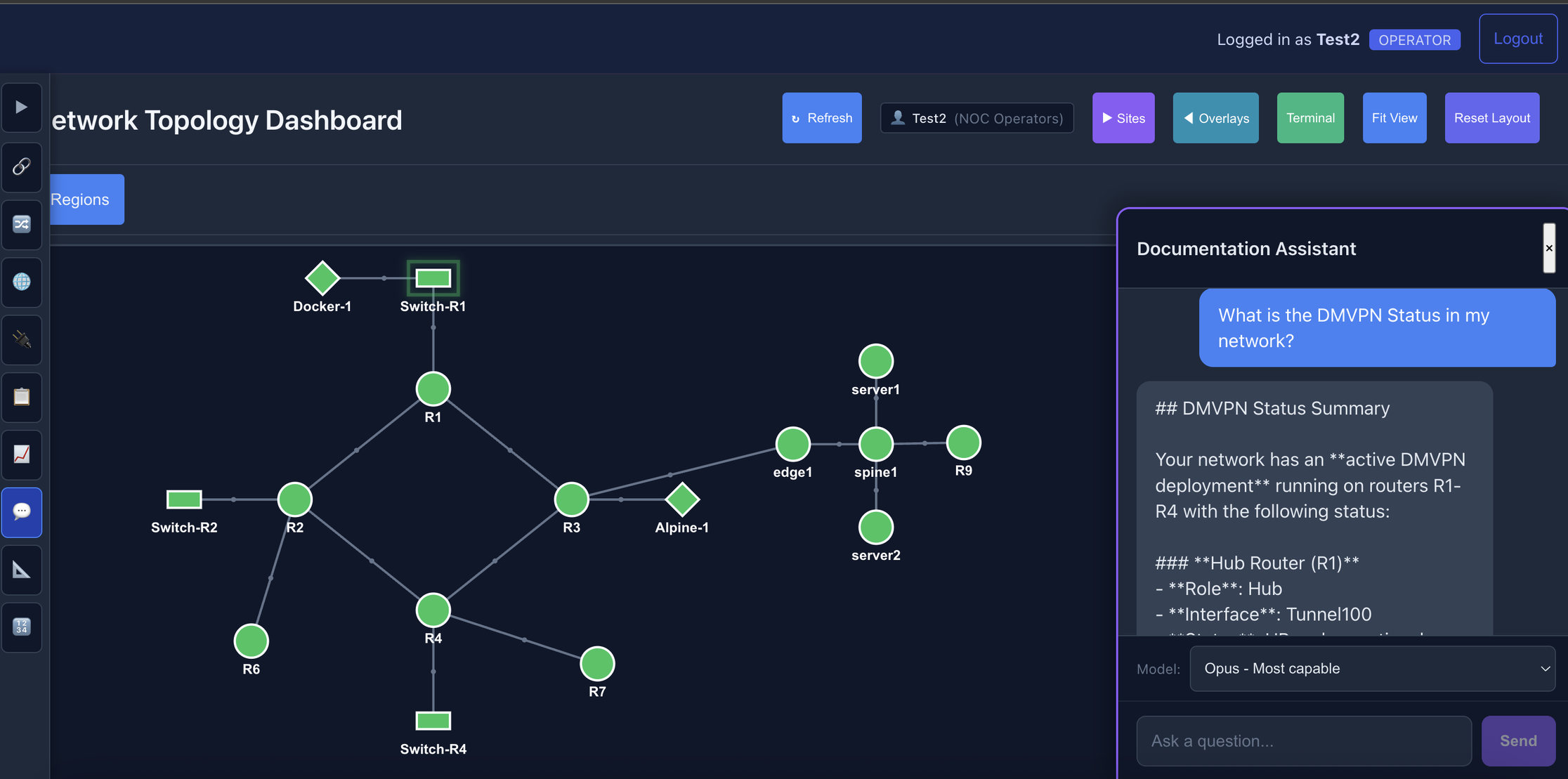
The Documentation Assistant receives a natural language query about DMVPN status. The topology shows the actual network being queried.
The AI doesn't guess—it investigates. It pulls relevant documentation, then calls live tools to check the actual device state:
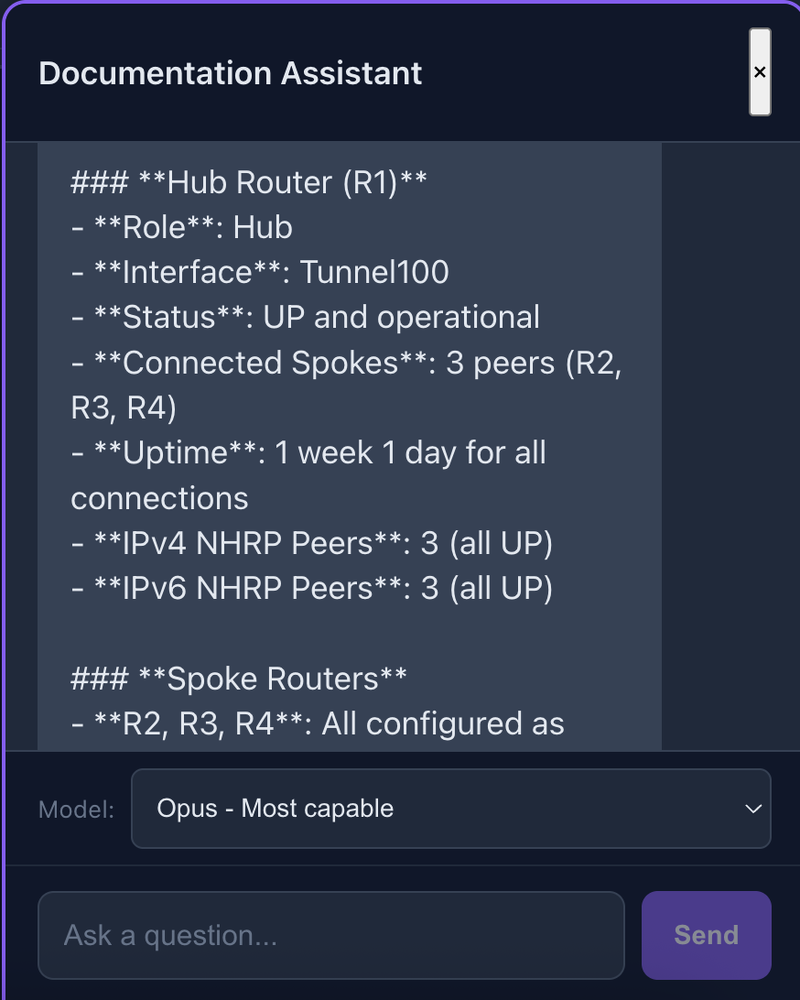
The response combines documentation knowledge with live data: hub router R1 with 3 connected spokes, all tunnels UP with 1 week uptime.
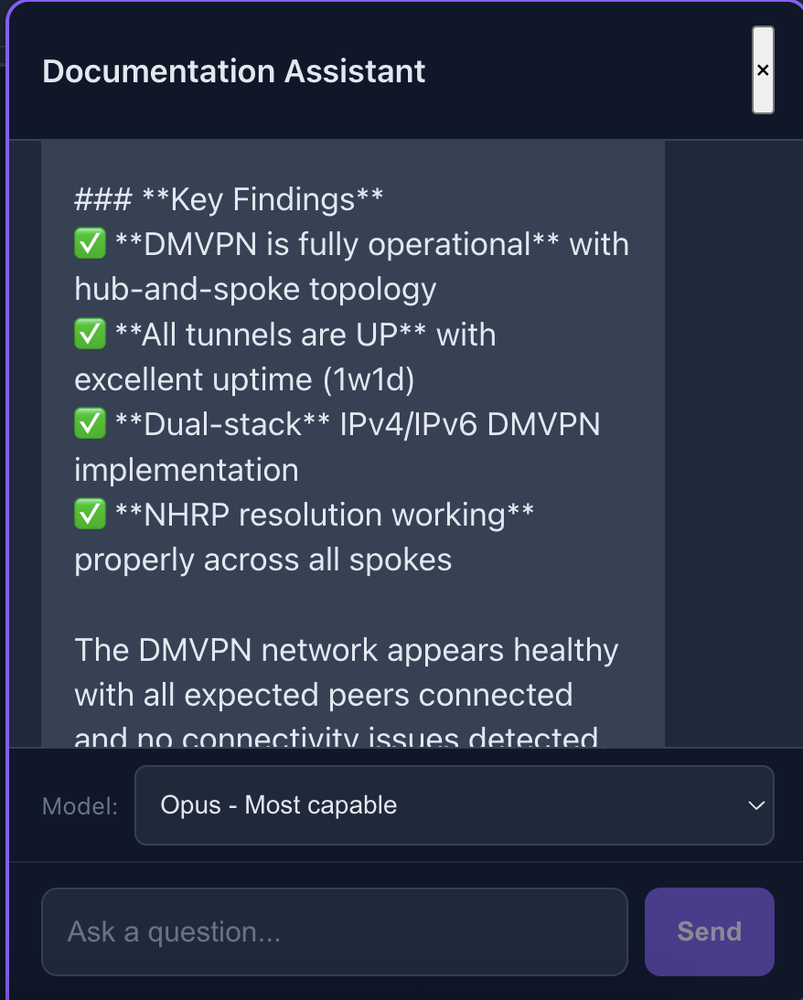
Key findings synthesized from multiple device queries: DMVPN fully operational, dual-stack IPv4/IPv6, NHRP resolution working across all spokes.
And here's the part that matters for trust—every answer shows its sources:
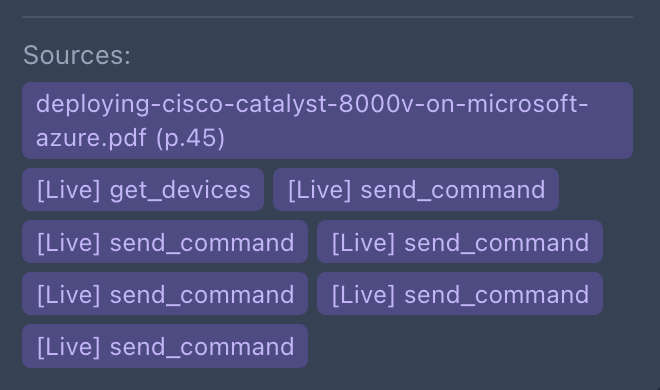
The sources panel shows both documentation (Cisco Catalyst 8000v deployment guide, page 45) AND live tool calls. Seven device queries ran to produce this answer.
tl;dr: Static knowledge + live data = actually useful answers.
Permission-Aware Tool Access
Giving an AI read access to your network is one thing. Write access is another.
The system has permission-aware tools:
Read-only users: health_check(), send_command() (show only), get_interface_status()
Admins: Additionally get send_config() and remediate_interface()
The AI's system prompt changes based on permissions. Read-only users get told to contact an admin for config changes. Admins get reminded to confirm before making changes.
The Result
The system now answers network automation queries with significantly fewer hallucinations. Config syntax comes from actual vendor docs with page citations. Troubleshooting combines documentation knowledge with real device state—in seconds.
When I ask "why is the DMVPN tunnel to R3 down?", it doesn't guess. It checks.
What I'd Do Differently
Structured extraction for config blocks. Treat configs as structured data, chunk by logical section (interfaces, routing, ACLs).
Hierarchical retrieval. Sometimes you need specific syntax, sometimes conceptual overview. Two-stage retrieval might work better.
Feedback loop. When the AI is wrong, that's training data. Not capturing it yet.
The Stack
For those who want specifics:
Component Choice Vector store ChromaDB (local, no dependencies) Embeddings sentence-transformers (all-MiniLM-L6-v2) LLM Claude via API Doc parsing PyMuPDF (PDF), BeautifulSoup (HTML)
~600 lines of Python across ingest, query, and tool execution.
The Takeaway
RAG isn't magic. Retrieval quality determines answer quality. For domain-specific applications like networking:
Chunk at semantic boundaries, not arbitrary character counts
Preprocess for domain vocabulary—expand those acronyms
Combine static knowledge with live data
Think about permissions from day one
The goal isn't to replace network engineers. It's to give them an assistant that actually knows their network.
What's your experience with RAG for technical domains? Any chunking strategies that worked well for you?